Most business owners know they should be collecting more Google reviews. The part they struggle with is the ask itself — what to say, when to say it, and how to make it feel natural rather than desperate.
The good news: a BrightLocal study found that 70% of customers will leave a review when asked. The barrier isn't reluctance — it's the absence of a clear, repeatable system. This guide gives you that system, from word-for-word scripts to a QR code method that works even when your team is slammed.
Why Customers Don't Leave Reviews on Their Own
Before diving into scripts, it's worth understanding the three reasons customers stay silent after a good experience:
They don't know how. Finding a business on Google Maps, tapping the review button, and writing something coherent takes more steps than most customers expect. The friction is real.
They forget. Satisfaction peaks in the moment — right at checkout, right as they're leaving — and then decays fast. If you don't capture that window, it's gone.
They feel underqualified. Many customers assume they need to write something long and detailed. Once they understand "a sentence or two is plenty," the barrier drops.
A good ask addresses all three: it simplifies the path, happens in the right window, and reassures the customer that a brief, honest note is exactly what you want.
In-Person Scripts That Don't Feel Pushy
Timing matters more than the exact words. The optimal window is at the end of the interaction — after the transaction is complete, before the customer leaves. Never interrupt an experience in progress to ask for a review of it.
At a restaurant (staff to departing guests):
"Thanks so much for coming in — hope you enjoyed everything. If you have a second, a Google review means a lot to us. You can scan the QR code right on the receipt — takes about 30 seconds."
At a retail checkout:
"Great, you're all set! If you liked what you found today, we'd really appreciate a Google review. There's a code on your bag — it links straight to our page."
At a salon or spa appointment:
"It was great having you in today! If you're happy with how it turned out, a quick Google review helps us a lot. There's a card here with a QR code — you can do it from your phone right now or later."
The three rules that make in-person asks work:
- Thank before you ask. Gratitude first makes the request feel natural, not transactional.
- Quantify the effort. "30 seconds" or "just a sentence or two" kills the blank-page anxiety.
- Hand them a path. A QR code on a receipt, card, or table removes the "I'll do it later" exit.
Email Templates That Actually Get Read
Email follow-up extends your asking window to 24–48 hours after the visit, while the experience is still vivid. Keep it short — nobody reads a long email asking for a review.
Subject lines that work:
- "How was your visit, [First Name]?"
- "Quick question — happy with your experience?"
- "Your feedback helps [Business Name] grow"
Short-form email body:
Hi [First Name],
Thanks for stopping by [Business Name] on [day]. We hope it was a great visit.
If you have a couple of minutes, leaving us a Google review would mean a lot — it helps other people find us and helps our team keep doing what's working.
[Leave a Google Review →]
Even a sentence or two makes a difference. We read every one.
— [Your name], [Business Name]
What not to do: Don't ask for "a 5-star review" — Google's policies prohibit directing customers to specific ratings, and it signals that you're managing appearances rather than genuinely welcoming feedback.
SMS Scripts That Convert
Text messages have open rates above 90%, making them one of the highest-converting review request channels for local businesses. Keep them short and informal.
Post-visit SMS (send within 24 hours):
Hi [First Name]! Thanks for visiting [Business Name] today. A quick Google review would help us out a lot: [short link]. Takes 30 seconds — thanks!
Service completion SMS (salons, clinics, repair shops):
[First Name], your [service] is done — hope you're happy with it! If you have a moment, a Google review goes a long way for us: [link]
Timing rules for digital requests:
- Restaurants and retail: within 24 hours of the visit
- Service businesses (salon, spa, clinic): within 48 hours
- Never send more than one follow-up per visit — a second reminder reads as pressure, not care
The QR Code Method: Asking Without a Word
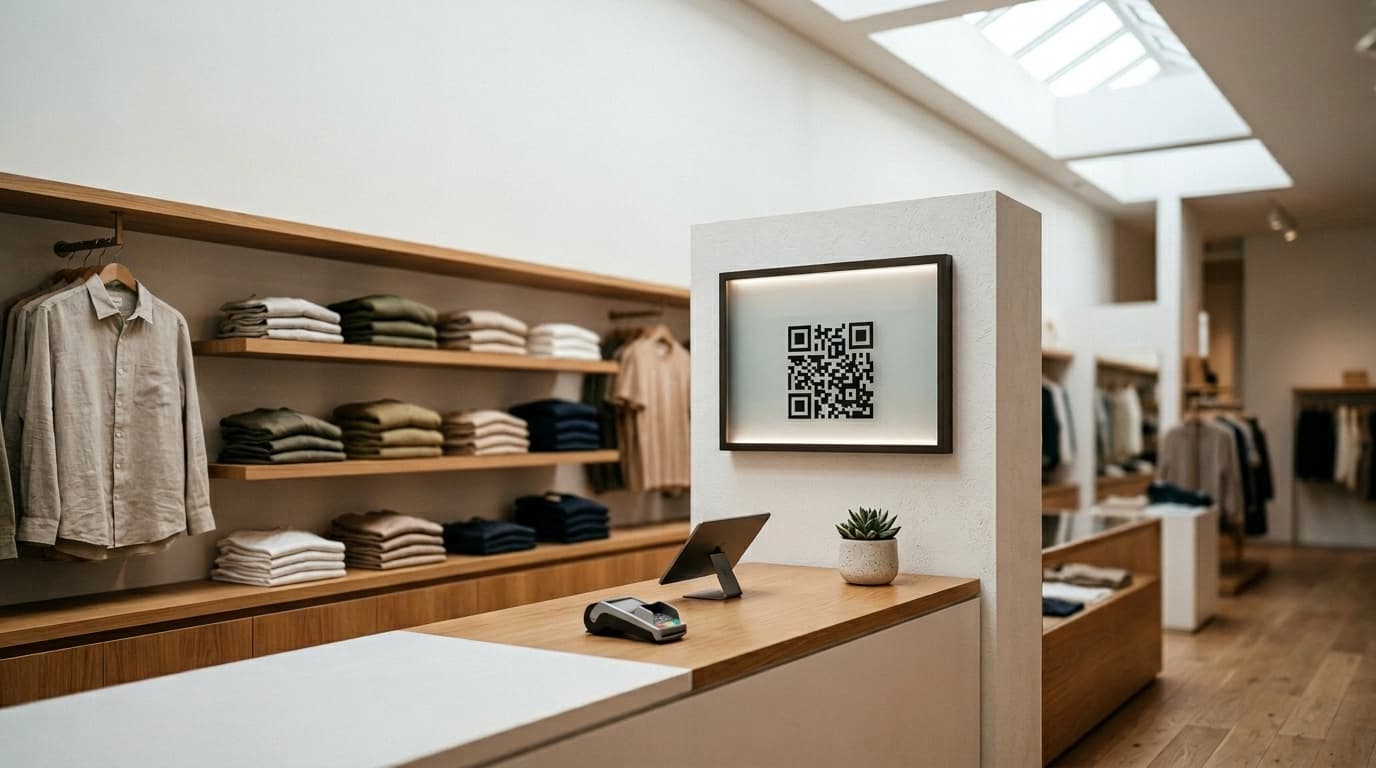
For many businesses, the most scalable approach isn't a verbal ask at all — it's a QR code positioned where customers naturally pause.
Best placements:
- At the payment terminal or next to the cash register
- On printed receipts or invoices
- On table tents or menu inserts (restaurants)
- On thank-you cards or appointment reminder cards
- Near the exit, where customers slow down
The QR code does three things at once: it gives the customer a clear, immediate path to your Google review page; it removes the social awkwardness from your staff; and it catches customers at exactly the moment their experience is fresh.
In high-volume businesses — cafés, nail salons, fast casual restaurants — well-placed QR codes consistently outperform verbal requests because they scale with customer count without adding burden to staff.
Make the invitation visible. A QR code with no context gets ignored. Add three words: "Leave us a review" or "Tell us how we did." That's all you need.
What Never to Do
Don't offer rewards in exchange for reviews. Google's review policies explicitly prohibit incentivizing reviews — discounts, free items, loyalty points. Reviews collected this way risk being removed, and repeated violations can affect your entire Business Profile.
Don't filter who gets the review link. Review gating — asking customers how they'd rate you first and only sending the link to happy ones — is also against Google's policies. Ask everyone equally.
Don't batch-request after a long gap. If you haven't been collecting reviews and suddenly send 60 requests in one day, Google's spam filters will suppress many of them. Build volume gradually.
Don't use a third-party service that leaves reviews "for" your customers. Fake reviews can trigger legal consequences in many jurisdictions and permanently damage your profile's trustworthiness.
Building a System That Runs Without You
The businesses with 400+ Google reviews didn't get there through heroic effort — they have a system. The components are simpler than you think:
- A consistent checkout trigger — a QR code on every receipt, a card staff hand at the end of every service, or a phrase built into your closing routine.
- Automated digital follow-up — an email or SMS that goes out within 24 hours without requiring anyone to remember to send it.
- A weekly review check — five minutes to see what's coming in and catch anything that needs a response.
That's it. Consistency over six months produces more reviews than a one-time push will ever generate.
How Ludofy Removes the Ask Entirely
Ludofy replaces the awkward verbal ask with something customers actually look forward to: a fortune wheel QR code at checkout. Customers scan, spin the wheel for a chance to win a prize, and are then invited — naturally, as part of the experience — to leave a Google review.
The result is a review collection rate 3–5x higher than traditional ask-and-hope methods, with no coaching required for staff. Every spin is tracked, every review is verified, and your Google profile grows automatically — even during your busiest service periods.
Start with one script from this guide, place a QR code at your checkout today, and measure the difference over 30 days. The gap between your current review count and what your business actually deserves closes faster than you expect.