You generated a Google review QR code. You printed it out. You taped it somewhere near the register. And then... almost nothing happened.
Sound familiar? You're not alone. Dozens of business owners make this mistake every week. The QR code exists, but the placement is invisible — physically present yet cognitively absent for the customer about to leave.
QR code scan rates aren't just about technology. They're about attention, timing, and friction. The right placement at the right moment can multiply your review conversion rate by 3x or more. The wrong placement — even a beautiful printed card — will collect dust.
Here's exactly where to place your Google review QR code to maximize scans, broken down by moment, location, and business type.
The Golden Rule: Capture the Peak Moment
Before diving into specific locations, understand one principle that drives everything else: the best QR code placement is wherever your customer's satisfaction is highest and their hands are free.
For a restaurant, that's typically when the bill arrives — the meal is over, it went well, and there's a natural pause before leaving. For a salon, it's when the client is admiring the result in the mirror. For a retail store, it's at the register after a successful purchase.
Every placement strategy below follows this logic: intercept the customer at peak satisfaction, with minimal friction to scan.
Top 7 QR Code Placements That Drive Scans
1. The Payment Terminal Area
This is the single highest-converting placement for most businesses. When a customer is finalizing payment, they're already holding their phone (to pay by card, check the amount, or just by habit). A QR code card placed directly next to the terminal — or printed on a small stand visible from the register — captures attention at exactly the right moment.
What works: A small A6 or A5 card stand. Make the message clear: "Loved your visit? Leave us a review and spin the wheel for a reward." The reward element (a discount, a free item on the next visit) dramatically increases scan rates.
What doesn't work: Laying the QR code flat on a counter cluttered with other materials. It gets lost.
2. Table Tent Cards (Restaurants & Cafes)
For sit-down restaurants and cafés, a tent card on every table keeps the QR code visible for the entire duration of the visit. The key is placing it so it's visible during the natural "waiting" moments — after ordering, after the meal, while waiting for the bill.
Tent cards also let you pair the QR code with a compelling story: why reviews matter to your team, a personal note from the owner, or a simple "Help us grow." Personal framing converts better than a naked QR code alone.
Pro tip: Don't just put the QR on one table. Every table. Even if 90% of customers ignore it, the 10% who scan represent hundreds of reviews per year.
3. The Receipt or Bill Folder
Tucking a QR code card inside the bill folder is one of the most natural placements available. The customer opens it, handles the payment, and has a moment of downtime — perfect for scanning. Many businesses print the QR code directly on the receipt or on a small card stapled to it.
This works particularly well with a short handwritten-style note: "We'd love your feedback. It only takes 30 seconds."
What to avoid: Making it look like a loyalty card or promotional flyer. Customers have learned to ignore those. A clean, minimal design with a clear CTA outperforms busy, colorful designs.
4. The Front Door or Window (For Foot Traffic)
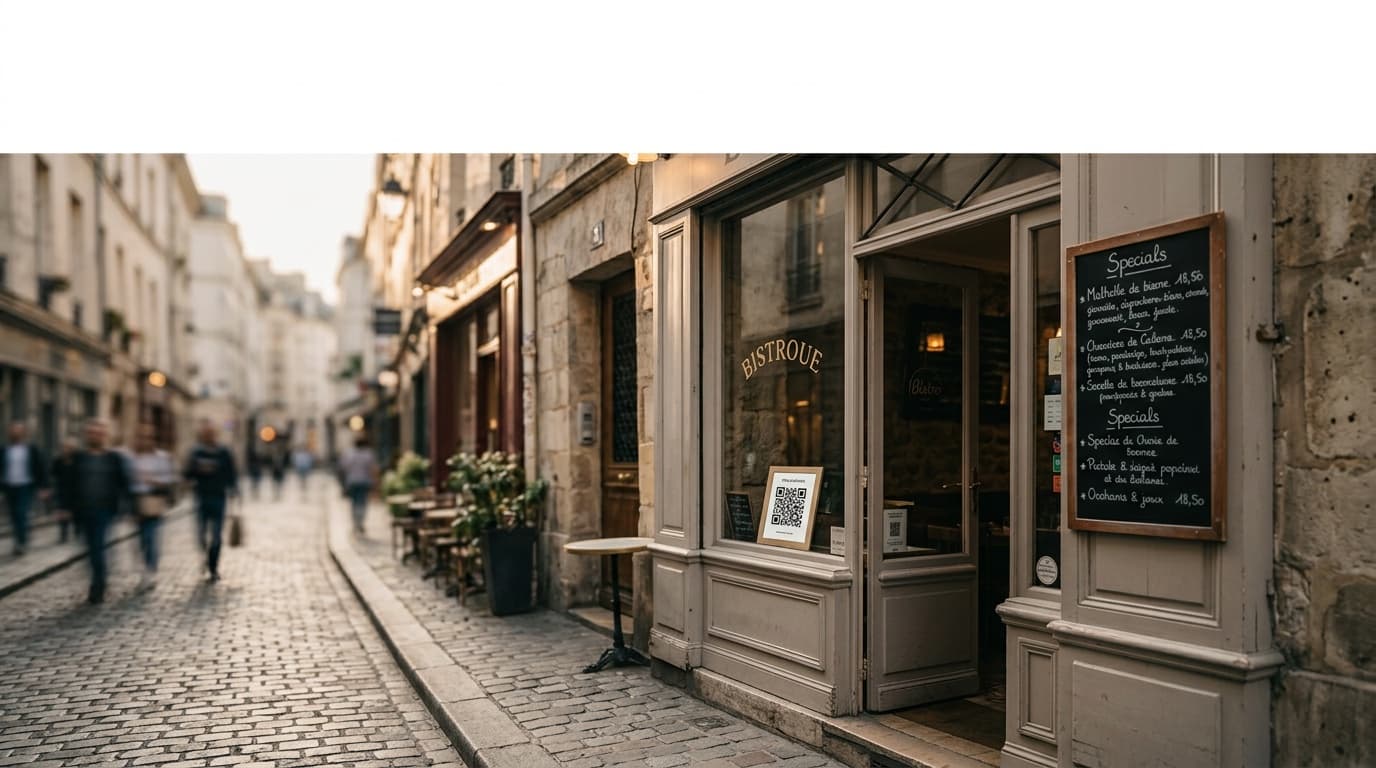
A QR code on the exterior of your business — a window sticker, a door plate, or a framed sign near the entrance — serves two purposes. Returning customers who loved their last visit can scan before they even come in. And passersby who see your 4.9-star rating on the sign may scan out of curiosity.
This placement is secondary to the payment area but adds meaningful passive collection, especially for high-foot-traffic streets.
Format: A high-contrast sticker or small A4 framed print at eye level. Include your current star rating alongside the QR code: "4.9 ★ on Google — Join 340 happy customers."
5. The Loyalty Card or Business Card
If you hand out loyalty cards, business cards, or thank-you cards, adding the QR code to the back costs almost nothing. Customers who take these materials are already engaged — they're considering returning. The QR code gives them something to do with that engagement immediately.
This is a great placement for service businesses (salons, clinics, personal trainers) where the client leaves with a physical card referencing their next appointment anyway.
6. Wi-Fi Connection Screen or Login Page
If your business offers free Wi-Fi, the network name itself can prompt reviews — "FreeWiFi_LeaveUsAReview" — but even better is including the QR code in the Wi-Fi login screen or on the card you hand customers with the Wi-Fi password.
Customers who connect to your Wi-Fi are planning to stay for a while. They have their phone out. This is a low-friction intercept that requires no additional behavior change from the customer.
7. Follow-Up Materials (Service Businesses)
For businesses where customers receive physical takeaway materials — a bakery bag, a retail paper bag, a pharmacy receipt envelope, a salon aftercare card — printing or sticking the QR code on the package gives you a second window after the visit.
The customer gets home, unpacks, and sees the QR code when their satisfaction is still fresh. Pair it with a simple note: "How was your experience today? One minute of your time makes a big difference for our small team."
What Doesn't Work (And Why)
Placing it too high or too low. Eye level means between 140–170 cm from the floor. A QR code mounted at knee height or above head level simply doesn't register as scannable.
No context around the code. A naked QR code with no instruction and no reason to scan converts at near-zero. Always include: what it is, why to scan it, and ideally what they get in return.
Only one placement. The businesses with the highest Google review counts don't rely on a single touchpoint. They reinforce the ask at multiple moments — tent card, receipt, door, follow-up bag. Repetition without pressure is the strategy.
Asking too early. Placing the QR at the entrance and asking for a review before the customer has experienced anything is a common mistake in retail. Wait until the experience has happened.
The Multiplier: Add a Reward to Every Scan
Every placement strategy above gets significantly more effective when the scan leads to a reward. This is the core mechanism Ludofy is built around: the customer scans the QR code, spins a digital fortune wheel, wins a reward (discount, freebie, surprise), and leaves a review as part of the experience.
The fortune wheel mechanic works because it transforms a favor (leaving a review) into an exchange (review for a chance at something fun). Scan rates for QR codes tied to a game mechanic are consistently 3–5x higher than codes that simply open a Google review form.
Where to Start if You Have One Location
If you're starting fresh, prioritize in this order:
- Payment terminal card stand — highest-converting, lowest effort
- Table tent cards (if applicable)
- Front door window sticker
- Receipt insert
Get those four in place before experimenting with anything else. Track how many reviews you collect each week. Once you see the baseline, you can test additional placements and measure the delta.
Building a System, Not a Single Sign
The businesses winning at Google reviews aren't doing anything magical. They've simply made the ask impossible to miss — at the right moment, in the right place, with the right incentive. QR code placement is the infrastructure that makes every other review strategy work.
Ludofy helps you go further: a single QR code that opens a branded fortune wheel, gamifies the review ask, and automatically redirects satisfied customers to your Google page after the spin. It takes about 10 minutes to set up and turns every placement location into an active review engine rather than a passive sign.
The QR code you printed last month isn't the problem. Where you put it — and what happens when someone scans it — is everything.